Technical Deep-Dive: Understanding Error Code C2 in ZF Ergopower Transmissions
Error code C2 in a ZF Ergopower transmission signals a problem within the input speed sensor circuit. This sensor is crucial for the transmission control unit (ECU) to accurately determine the transmission’s input speed and, consequently, manage gear shifting and other functions. The EST-37 and EST-65 control electronics are designed to detect such anomalies and store the C2 error code in its EEPROM. This code is then transmitted to the vehicle’s controller, alerting the operator to a potential issue.
Possible causes for the C2 error include:
* **Faulty Input Speed Sensor:** The sensor itself may be defective, providing inaccurate or no signals.
* **Wiring Issues:** Damage to the wiring harness connecting the sensor to the ECU, such as breaks, shorts, or corrosion.
* **ECU Malfunction:** Although less common, the ECU itself could be the source of the problem, misinterpreting the sensor signal.
* **Mechanical Issues:** In rare cases, internal transmission damage could affect the sensor’s ability to read the input speed correctly.
It’s important to note that the ZF diagnostic system is designed to facilitate troubleshooting. As the technical manuals state, these systems are equipped with diagnostic packages to aid service personnel in identifying and rectifying faults. The input speed sensor is a critical component monitored by the ECU.
Here’s a table outlining relevant specifications:
| Component | Description | Specification |
|---|---|---|
| Input Speed Sensor | Measures the rotational speed of the transmission input shaft. | Variable reluctance sensor (typical) |
| Wiring Harness | Connects the sensor to the ECU. | Shielded, 3-wire (typical) |
| EST-37/EST-65 ECU | Transmission control unit. | Monitors sensor signals and stores error codes. |
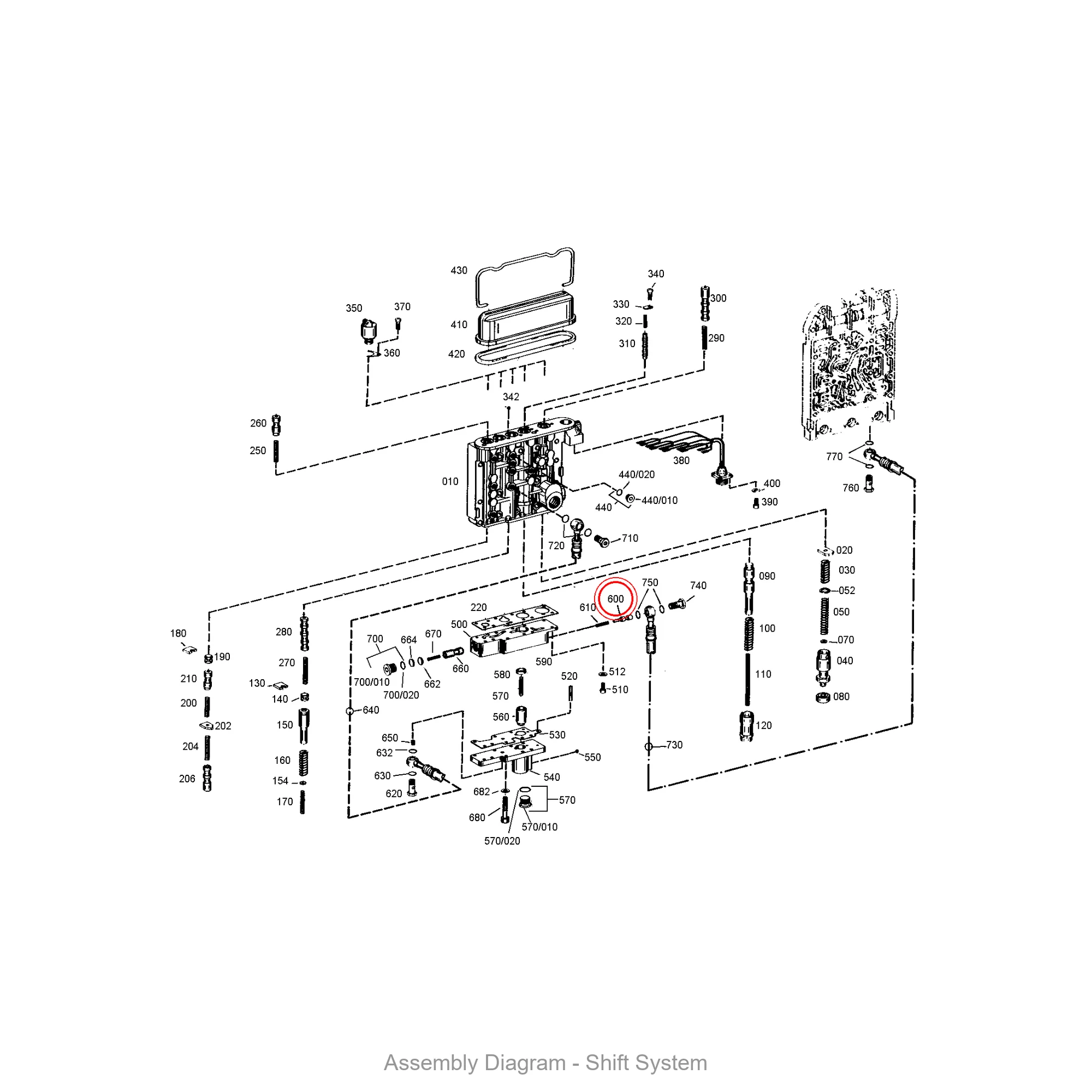
Step-by-Step Guide: Diagnosing and Resolving ZF Ergopower Error Code C2
- **Visual Inspection:** Begin by visually inspecting the input speed sensor and its wiring harness. Look for any signs of damage, such as cuts, abrasions, or corrosion. Pay close attention to the connector at the sensor and the ECU.
- **Sensor Resistance Check:** Disconnect the sensor and use a multimeter to measure its resistance. Refer to the ZF service manual for the correct resistance value for your specific sensor model. An open or shorted circuit indicates a faulty sensor.
- **Wiring Continuity Test:** With the sensor disconnected, use a multimeter to check the continuity of each wire in the harness between the sensor connector and the ECU connector. Ensure there are no breaks or shorts to ground.
- **Voltage Check at ECU:** With the ignition on, use a multimeter to check for the correct voltage at the ECU connector for the input speed sensor signal. Refer to the ZF service manual for the correct voltage range.
- **Sensor Replacement:** If the sensor fails the resistance check, replace it with a ZF part-number lookup item from partszf.com. Ensure the new sensor is properly installed and torqued to the correct specification.
- **Wiring Repair:** If you find any damaged wires, repair or replace the affected section of the wiring harness. Use proper splicing and insulation techniques to ensure a reliable connection.
- **ECU Testing/Replacement:** If the sensor and wiring are confirmed to be good, the ECU may be faulty. Consider testing the ECU or replacing it with a new or refurbished unit. This is a more complex procedure and may require specialized tools and expertise.
- **Clear the Error Code:** After completing the repairs, use a ZF diagnostic tool to clear the C2 error code from the ECU’s memory.
- **Test Operation:** Operate the machine and monitor the transmission for proper function. Verify that the C2 error code does not reappear.
| Part Number | Name | Application | Notes |
|---|---|---|---|
| 0501002473 | SHIFT CYLINDER | ZF Ergopower Transmissions | Related to gear shifting function. |
| 0301323052 | VALVE | ZF Ergopower Transmissions | Hydraulic control valve. |
| 0091312023 | CYLINDER | ZF Ergopower Transmissions | Hydraulic cylinder component. |
| 0501008071 | CONVERTER | ZF Ergopower Transmissions | Torque converter assembly. |
| 0501004667 | N/A | ZF Ergopower Transmissions | Check application before ordering. |
🏭 Tianjin XiaoHang Construction Machinery Co., Ltd.
Professional ZF transmission parts supplier · Genuine OEM & aftermarket · Global shipping
💬 Request a quote with your part numbers — we reply within 24 hours.
ZF Transmission Ergopower Error Code C2 RFQ and Lookup Context
This guide is maintained as a ZF transmission parts lookup and RFQ support page. Use it to organize symptoms, part-number evidence, diagram context, or replacement questions before confirming the final application.
Recommended Confirmation Steps
- Record the ZF material number, OEM reference, or visible marking from the removed part.
- Match the request with transmission family, symptom context, or diagram position when available.
- Submit photos or partial numbers when the replacement relationship is not fully confirmed.
Related PartsZF Hubs
- ZF Transmission Parts Hub
- ZF vs Liugong Cross Reference Guide
- ZF BP230 Parts List Overview
- ZF Oil Cooler Failure Symptoms Guide
This page supports lookup and procurement review. It does not make an authorization, inventory, or universal compatibility claim.